|
|
 |
|
 - Hauptseite -

Guten Morgen. Wir freuen uns sehr, dass Sie Online Pressemitteilung besuchen. Hier lesen Sie aktuelle Pressemitteilungen aus allen Bereichen des Computers, des Internets und des realen Lebens.
Die neueste Pressemeldung:
Datum: 26.10.2026, 14:35 Uhr
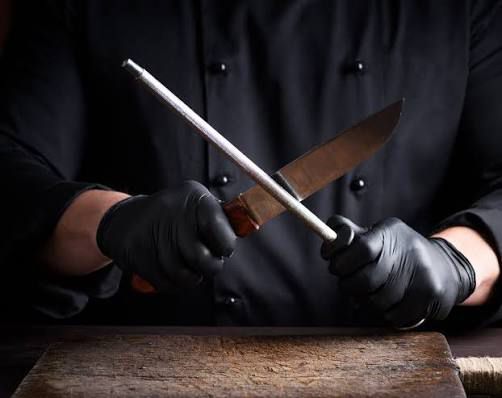
So verbessert ein hochwertiger Messerschärfer die tägliche Küchenarbeit |
| Ein scharfes Küchenmesser gehört zu den wichtigsten Werkzeugen bei der Zubereitung von Speisen. Ob Gemüse schneiden, Kräuter hacken, Fleisch portionieren oder Obst vorbereiten, eine gut gepflegte Klinge erleichtert viele Arbeitsschritte und ermöglicht kontrollierte Schnitte. Mit der Zeit kann jedoch auch ein hochwertiges Messer an Schärfe verlieren. Ein geeigneter Messerschärfer hilft dabei, die Schneidleistung wiederherzustellen und die tägliche Küchenarbeit angenehmer zu gestalten.
Besonders bei hochwertigen Küchenmessern kommt es darauf an, die Klinge sachgemäß zu behandeln. Ein passendes Schärfsystem kann die regelmäßige Pflege vereinfachen und dazu beitragen, die vorgesehene Schneidengeometrie zu erhalten. Dabei sind die richtige Anwendung, der passende Schleifwinkel und die Empfehlungen des Messerherstellers entscheidend.
Warum ein hochwertiger Messerschärfer sinnvoll ist
Ein Messerschärfer dient dazu, die Schneide eines Messers bei Bedarf wieder in einen geeigneten Zustand zu bringen. Durch den regelmäßigen Gebrauch kann die Schneide stumpfer werden, wodurch das Schneiden mehr Kraft erfordert und weniger präzise ausfallen kann.
Ein geeignetes Schärfsystem unterstützt die kontrollierte Bearbeitung der Klinge. Die richtige Technik hilft dabei, unnötigen Materialabtrag zu vermeiden und die Schneidleistung des Messers zu verbessern.
Nicht jeder Messerschärfer ist für jede Klinge geeignet. Vor allem hochwertige Damastmesser sollten mit einem System bearbeitet werden, das zum jeweiligen Stahl und zur Schneidengeometrie passt.
Die wichtigsten Vorteile eines hochwertigen Messerschärfers
Präzisere Schnitte bei der Zubereitung
Eine ausreichend scharfe Klinge kann Lebensmittel sauberer schneiden und ermöglicht eine bessere Kontrolle bei unterschiedlichen Küchenarbeiten. Beim Schneiden von Tomaten, Zwiebeln oder Kräutern ist eine geeignete Schneide besonders hilfreich, da weniger Druck erforderlich sein kann.
Präzise Schnitte können außerdem dazu beitragen, Zutaten gleichmäßiger vorzubereiten. Das ist sowohl bei einfachen Alltagsgerichten als auch bei anspruchsvollen Rezepten von Vorteil.
Weniger Kraftaufwand beim Schneiden
Ein stumpfes Messer erfordert häufig mehr Druck, um Lebensmittel zu durchtrennen. Das kann die Handhabung erschweren und die Kontrolle über die Klinge beeinträchtigen.
Ein geeignetes Schärfsystem hilft dabei, die Schneidleistung bei Bedarf wiederherzustellen. Dadurch lassen sich viele Schneidarbeiten komfortabler ausführen, sofern das Messer sachgemäß geschärft und verwendet wird.
Unterstützung einer sicheren Handhabung
Eine scharfe Klinge kann bei korrekter Verwendung besser durch Lebensmittel gleiten. Bei einem stumpfen Messer besteht dagegen die Gefahr, dass mehr Druck ausgeübt wird oder die Klinge beim Schneiden abrutscht.
Allerdings ist Schärfe allein kein Garant für Sicherheit. Eine kontrollierte Schneidtechnik, eine stabile Schneidunterlage und ein sicherer Umgang mit dem Messer bleiben unverzichtbar. Für die Pflege hochwertiger Küchenmesser bietet ein geeigneter messerschärfer eine praktische Möglichkeit, die Schärfe der Klinge langfristig zu unterstützen.
Längere Nutzungsdauer hochwertiger Küchenmesser
Hochwertige Küchenmesser sind auf eine langfristige Verwendung ausgelegt, benötigen dafür aber eine angemessene Pflege. Ein geeigneter Messerschärfer kann dazu beitragen, die Schneidleistung zu erhalten, wenn die Klinge stumpf wird.
Wichtig ist, das Messer nicht unnötig häufig zu schleifen. Da beim Schärfen Material abgetragen wird, sollte die Bearbeitung nur bei Bedarf erfolgen und sich nach den Empfehlungen des Herstellers richten.
Mehr Komfort bei alltäglichen Küchenaufgaben
Wenn ein Messer zuverlässig schneidet, können viele Vorbereitungsarbeiten flüssiger ablaufen. Das Zerkleinern von Gemüse, das Schneiden von Obst und das Portionieren geeigneter Lebensmittel lassen sich mit einer gepflegten Klinge oft einfacher kontrollieren.
Ein Messerschärfer kann deshalb eine praktische Ergänzung der Küchenausstattung sein, insbesondere wenn hochwertige Messer regelmäßig verwendet werden.
Welche Arten von Messerschärfern gibt es
Schleifsteine
Schleifsteine ermöglichen eine flexible Bearbeitung der Schneide und sind in unterschiedlichen Körnungen erhältlich. Sie eignen sich für Anwender, die ihre Schleiftechnik gezielt entwickeln möchten. Allerdings erfordert die Verwendung Übung, um den geeigneten Winkel gleichmäßig einzuhalten.
Geführte Schärfsysteme
Geführte Schärfsysteme unterstützen die Kontrolle des Schleifwinkels und können die Anwendung vereinfachen. Sie sind besonders interessant für Menschen, die beim Nachschärfen Wert auf eine reproduzierbare Technik legen.
Rollschleifer
Ein Rollschleifer arbeitet mit einer Schleifrolle, die entlang der Klinge bewegt wird. Je nach Modell kann die Konstruktion dabei helfen, einen vorgesehenen Winkel einzuhalten und den Schleifvorgang kontrolliert auszuführen.
Vor der Verwendung muss geprüft werden, ob das jeweilige System für die Klingenform und den Stahl des Messers geeignet ist.
Worauf es bei der Auswahl eines Messerschärfers ankommt
Kompatibilität mit dem Messer
Der Messerschärfer sollte zum jeweiligen Messertyp passen. Klingenmaterial, Schleifwinkel und Schneidengeometrie beeinflussen, welches System geeignet ist.
Bei hochwertigen Damastmessern empfiehlt es sich, vor der Anwendung die Pflegehinweise des Herstellers zu lesen.
Qualität der Schleiffläche
Das Schleifmaterial beeinflusst, wie viel Material abgetragen wird und für welche Art der Bearbeitung sich das System eignet. Unterschiedliche Schleifflächen können für das regelmäßige Nachschärfen oder für eine stärkere Bearbeitung vorgesehen sein.
Die Wahl sollte sich nach dem Zustand der Klinge und den Angaben des Herstellers richten.
Einfache und sichere Anwendung
Ein guter Messerschärfer sollte sich kontrolliert verwenden lassen und sicher auf einer geeigneten Arbeitsfläche stehen. Die Anleitung sollte verständlich erklären, wie das Messer positioniert und die Schleifbewegung ausgeführt wird.
Unabhängig vom Schärfsystem sollte mit kontrolliertem Druck gearbeitet werden. Übermäßige Kraft ist nicht notwendig und kann den Materialabtrag erhöhen.
Pflege und Aufbewahrung
Ein Schärfsystem sollte nach der Verwendung entsprechend den Herstellerangaben gereinigt und trocken aufbewahrt werden. Eine sorgfältige Pflege trägt dazu bei, dass es bei Bedarf zuverlässig eingesetzt werden kann.
Hochwertige Küchenmesser richtig schärfen
Vor dem Schärfen sollte die Klinge sauber und trocken sein. Anschließend wird geprüft, welcher Schleifwinkel für das Messer vorgesehen ist und ob das ausgewählte System dafür geeignet ist.
Während der Bearbeitung sollte die Bewegung kontrolliert und gleichmäßig erfolgen. Die genaue Vorgehensweise richtet sich nach dem verwendeten Gerät. Sobald die gewünschte Schneidleistung erreicht ist, sollte das Schärfen beendet werden.
Nach der Anwendung müssen Schleifrückstände entfernt werden. Die Klinge sollte anschließend gereinigt und sorgfältig getrocknet werden. Zum Überprüfen der Schneidleistung eignet sich ein vorsichtiger Test an einem geeigneten Lebensmittel. Die Schärfe sollte niemals durch Berühren der Schneide mit den Fingern getestet werden.
Wenn eine Klinge sichtbare Ausbrüche, starke Beschädigungen oder eine deutlich veränderte Schneidengeometrie aufweist, kann eine professionelle Schärfung sinnvoll sein.
Messerschärfer und die Pflege von NORDVELL Damastmessern
NORDVELL verbindet hochwertigen VG10 Damaststahl mit präziser Schneidleistung, ausgewogener Handhabung und einem zeitlosen, nordisch inspirierten Design. Damit hochwertige Küchenmesser ihre Eigenschaften im Alltag möglichst lange behalten, sollten sie passend zum jeweiligen Modell gepflegt werden.
Ein geeigneter Messerschärfer kann dabei helfen, die Schneidleistung bei Bedarf wiederherzustellen. Entscheidend ist, dass das Schärfsystem für die betreffende Klinge geeignet ist und gemäß den Herstellerempfehlungen verwendet wird.
Zusätzlich tragen geeignete Schneidunterlagen, eine schonende Reinigung und eine sichere Aufbewahrung dazu bei, unnötigen Verschleiß zu reduzieren. Die Kombination aus sachgemäßer Verwendung und regelmäßiger Pflege unterstützt die langfristige Nutzung hochwertiger Küchenmesser.
Zusammenfassung
Ein hochwertiger Messerschärfer kann die tägliche Küchenarbeit verbessern, indem er dazu beiträgt, die Schneidleistung eines Messers wiederherzustellen. Eine ausreichend scharfe Klinge ermöglicht präzisere Schnitte, kann den Kraftaufwand reduzieren und erleichtert die Kontrolle bei vielen Vorbereitungsarbeiten.
Damit das Schärfen gute Ergebnisse erzielt, müssen das Schärfsystem und der Schleifwinkel zur jeweiligen Klinge passen. Besonders bei hochwertigen Damastmessern sollten die Herstellerhinweise beachtet werden, um unnötigen Materialabtrag zu vermeiden.
Zusammen mit einer geeigneten Schneidunterlage, sorgfältiger Reinigung und sicherer Aufbewahrung bildet ein passender Messerschärfer eine sinnvolle Grundlage für die Pflege hochwertiger Küchenmesser. So lässt sich die Schneidleistung langfristig unterstützen und die Arbeit in der Küche komfortabler gestalten. | |
|
Die 10 neuesten Artikel:
Neue Bilder:
|
|
|
|
AlltagNews
In AlltagNews enthüllen wir faszinierende Erlebnisse und unglaubliche Wahrheiten.
Bald Geburtstag?

Für eine gelungene Geburtstagsfeier sind ansprechende Einladungen unerlässlich, die die Vorfreude der Gäste bereits im Voraus wecken.
Hunger?

Lecker essen.
|